Gol
Portuguese (Brazil)
2 sample audios
Welcome
Doors closed
Cabinflow keeps plans, access, and configuration in the web portal, then hands the real flight operation to a desktop operator built for announcements, pilot monitoring checklists, and spoken simulator actions.
Set up the account, choose a plan, and keep the desktop app linked to the licensed account.
Import SimBrief, review the route, configure voices, and load the correct checklist and command layer.
Build the captain and cabin crew package, then leave checklist and voice-command tools ready for execution.
Run announcements automatically, trigger PM checklists by PTT, and execute mapped cockpit voice commands in the sim.
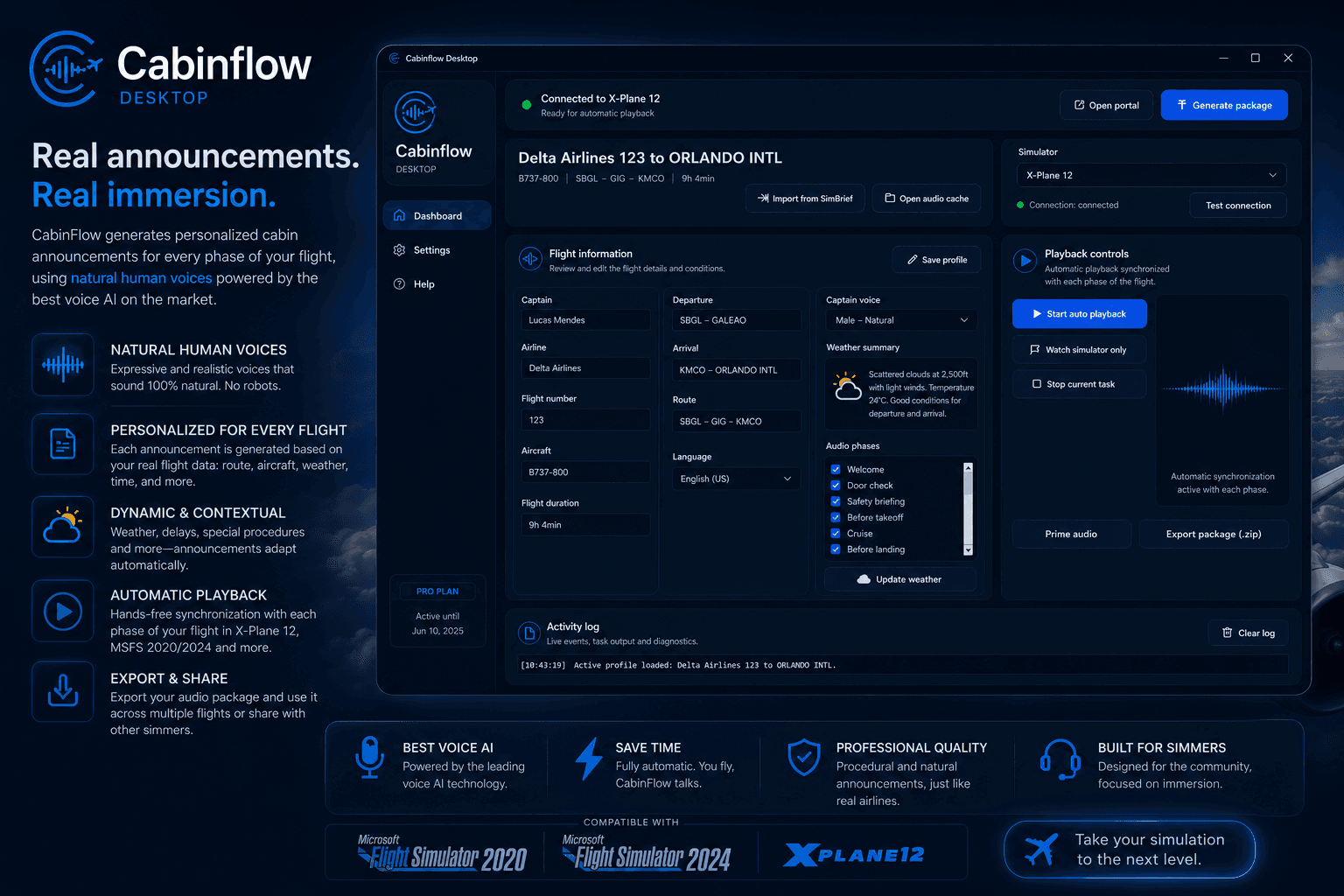
This is the production operator used to import the flight, review the profile, generate the package, monitor the simulator, and trigger each onboard phase at the correct moment.
These preview samples help new customers hear the product before they subscribe. Each set below shows the same operational idea in a different airline and language context.
Cabinflow is not presented like a loose soundboard. It is structured around profiles, flight context, automation, and consistent speech delivery across repeat flights.
Announcements follow the real flight phase instead of sounding like a generic trigger board.
Captain and cabin crew can each keep their own delivery style, language, and tone.
Assign a hotkey, speak an English checklist command, and let the pilot monitoring voice run the flow back to you.
The portal manages access and plans while the desktop operator executes locally inside your sim setup.
Build one polished airline identity and reuse it across routes, aircraft, languages, and checklist packages.
Cabinflow is no longer limited to cabin announcements. The desktop operator can also run pilot monitoring checklist flows by listening for an English voice command after a PTT hotkey press.
Configure one hotkey in the desktop app, press it, and speak commands like preflight checklist or before takeoff checklist in English.
The PM reads the checklist items with the same voice quality strategy used by the announcement package, including cached playback.
Use Cabinflow native aircraft families or maintain your own custom checklist packages by aircraft in the commercial portal.
Cabinflow can do more than read and trigger phases. You can create supported voice commands per aircraft profile, define the spoken phrase, and let the desktop operator execute the mapped simulator action.
Choose the simulator, aircraft profile, and supported cockpit action, then bind your own spoken phrase to it inside Cabinflow.
Each voice command can include a PM callout, with timing defined before or after the simulator action is triggered.
Use actions like gear up, flaps changes, landing lights, TO/GA, autopilot commands, and more as aircraft support expands.
PM speaks and triggers the configured gear action.
PM confirms the call and executes the mapped flap position.
Cabinflow sends the supported lighting command to the simulator.
Trigger supported takeoff/go-around modes with one spoken action.
The customer-facing experience stays consistent while the desktop layer adapts to the simulator you actually fly, including Microsoft Flight Simulator and X-Plane.
Windows desktop companion using SimConnect for out-of-process simulator automation.
Recompiled SimConnect client for Microsoft Flight Simulator 2024 with the same automation layer.
REST and WebSocket connector over the built-in local Web API and DataRef stream.
Product-facing support now lives in a dedicated public area so prospects and customers can check operational readiness before they buy, deploy, or start the desktop operator.
Windows desktop, portal access, and simulator-side expectations.
A direct setup path from signup to package playback.
Aircraft-by-aircraft support instead of broad simulator promises.
Upcoming aircraft profiles and the future Virtual Airline layer.
Each full audio package counts as one operational generation, regardless of language or the number of internal audio files inside that package. Checklist assistant access is included in all paid plans, while custom checklist package limits vary by tier.
For sim pilots who want a light monthly package with up to 20 package generations.
For frequent sim pilots who want more headroom with up to 50 package generations per month.
For heavy users who want unlimited package generations each month with no operational cap.
Cabinflow separates sales, billing, and licensing from the live operational layer, so the flying experience stays focused and professional.